English
 Arabic
 French
 Spanish
 Portuguese
 Deutsch
 Turkish
 Dutch
Dutch
 Italiano
 Russian
 Romaian
 Portuguese (Brazil)
 Greek
Greek

Drug Rehab Center in Lahore | Best Drug Rehab 2026
Health |
2026-01-29 11:00:18
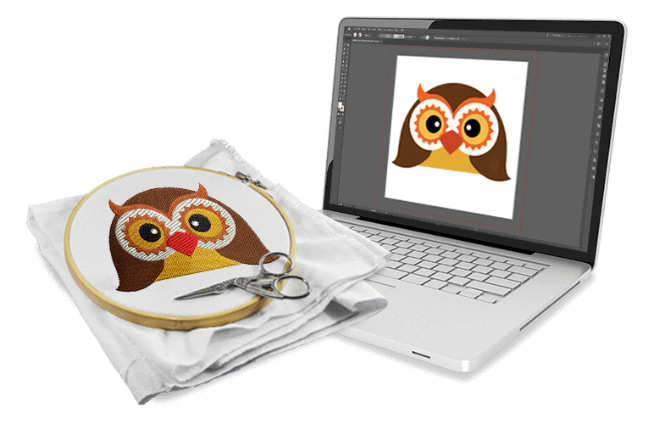
Ever zoomed into a photo and watched it dissolve into a blurry mess of pixels? That’s the limit of raster images (like JPEGs or PNGs). For logos, illustrations, and designs that need to scale from a business card to a billboard without losing an ounce of quality, you need vectors. This is where the need to Convert Image to Vector File comes in—a process called vectorization. It transforms pixel-based artwork into mathematical paths and points, creating graphics that are infinitely scalable, editable, and clean.
Choosing the right tool in 2025 can be overwhelming. The landscape has evolved dramatically, with artificial intelligence now sitting alongside classic professional suites. This guide will break down the best tools available this year, from AI-powered magic wands to industry-standard workhorses, helping you find your perfect match.
Before we dive into the list, let's establish what we’re looking for in a top-tier conversion tool in 2025.
Accuracy and Quality: The core job. How well does it trace the original image? Does it capture clean lines, smooth curves, and the right level of detail without unnecessary noise?
Ease of Use: Is the interface intuitive? Can a beginner get decent results, or is it built solely for experts?
Control and Editability: Does it create a true, layer-friendly vector file with editable paths and anchor points? Or is it a "black box" conversion?
Speed and Performance: How fast does it process files, especially complex ones?
Output Format Support: Look for tools that export to standard vector formats like SVG, AI, EPS, and PDF.
Value for Money: Does the pricing model (subscription, one-time, freemium) match the features and your usage?
For decades, Adobe Illustrator has been the definitive answer for professional vector design. Its Image Trace feature is a powerful engine for conversion.
Why it’s a top pick in 2025:
Unmatched Control: Image Trace offers presets (Logo, Sketch, Silhouette) and deep manual adjustments for paths, corners, and noise. You have pinpoint control over the final result.
Seamless Ecosystem: It’s part of Adobe Creative Cloud. Your converted vector lives in Illustrator, ready for immediate editing, coloring, and integration with Photoshop or After Effects.
Precision Editing: The result is a fully editable, bezier-curve-based vector graphic. Every anchor point is yours to manipulate.
Best for: Professional designers, illustrators, and anyone who needs complete, editorial authority over their vector assets. It's less of an auto-converter and more of a professional workshop.
This web-based tool represents the cutting edge of vectorization technology. Vectorizer.AI uses sophisticated machine learning to interpret images, often producing startlingly accurate and natural-looking vectors.
Why it’s a top pick in 2025:
Intelligent Detection: It doesn’t just trace; it understands shapes, gradients, and even color blends, creating beautiful, shaded vector output that rivals manual illustration.
Stunning Results with Photos: It handles complex imagery like photographs or textured artwork better than any automated tool we’ve tested, converting them into artistic vector compositions.
User-Friendly Interface: Drag, drop, adjust a few simple settings, and download. It makes high-end results accessible to non-experts.
Best for: Artists, marketers, and hobbyists looking to transform photos or complex artwork into unique vector graphics with minimal effort. It’s perfect for creating poster art, stylized illustrations, and more.
CorelDRAW’s PowerTRACE feature is Illustrator Image Trace’s direct and formidable competitor. Bundled in the CorelDRAW Graphics Suite, it’s a favorite for its balance of power and a potentially more intuitive workflow.
Why it’s a top pick in 2025:
PowerTRACE Excellence: It provides exceptional control over the tracing process with real-time previews. The ability to compare the original and traced result side-by-side is a significant workflow advantage.
Value Proposition: Often offered as a perpetual license (one-time purchase) alongside a subscription, which can be more cost-effective for certain users than Adobe’s subscription-only model.
All-in-One Suite: Like Illustrator, it’s a complete vector design environment, so you can convert and edit without switching apps.
Best for: Designers seeking a professional-grade alternative to Adobe, with a strong focus on illustration, layout, and sign-making.
Never underestimate Inkscape. This completely free, open-source software packs a serious punch, with a Trace Bitmap function that belies its $0 price tag.
Why it’s a top pick in 2025:
Cost: Absolutely free. This is its biggest advantage, making professional-grade vectorization accessible to everyone.
Surprisingly Capable: It offers multiple tracing modes (single scan, multiple scans, by color) and provides adjustment options for threshold and complexity.
Full-Featured Editor: It’s not just a converter; it’s a complete vector editor, allowing for deep editing post-trace.
Best for: Students, hobbyists, startups on a tight budget, and anyone who needs a capable vector tool without any financial commitment.
Sometimes you just need a fast, no-fuss conversion without installing software. Online tools have improved significantly.
SVGator’s Online Converter: A standout for its clean output optimized for web and animation. It’s simple and great for basic logos and shapes.
Photopea: This free, browser-based clone of Photoshop has basic vector trace capabilities and can save to SVG. It’s a fantastic multi-tool for quick edits and conversions.
Why they’re a top pick in 2025:
Zero Installation: Work directly from any browser.
Speed: For simple images, they provide results in seconds.
Accessibility: Perfect for one-off tasks on any computer.
Best for: Quick conversions of simple logos, icons, or shapes, especially when you’re on the go or using a restricted device.
For Total Control & Professional Work: Choose Adobe Illustrator or CorelDRAW.
For AI Magic & Artistic Conversions: Choose Vectorizer.AI.
For Zero Budget Without Sacrificing Power: Choose Inkscape.
For Quick, Simple Conversions Online: Choose a reputable Online Converter like SVGator.
The journey to convert an image to a vector file in 2025 is filled with fantastic options. The "best" tool isn't a universal title; it's the one that best fits your specific project, skill level, and budget. Whether you leverage the AI-powered intelligence of Vectorizer.AI to create art, the surgical precision of Adobe Illustrator for a client's logo, or the commendable power of free tools like Inkscape, you’re equipped to create scalable, future-proof graphics.
The core takeaway? Stop letting pixels limit your creativity. With these tools, you can transform any image into a versatile vector asset, ready to scale up for any opportunity that comes your way. Start experimenting and discover how vectorization can elevate your design process this year.