English
 Arabic
 French
 Spanish
 Portuguese
 Deutsch
 Turkish
 Dutch
Dutch
 Italiano
 Russian
 Romaian
 Portuguese (Brazil)
 Greek
Greek

Hearing Device & Digital Hearing Aid Price in Pakistan 2026
Health |
2026-01-29 10:52:01
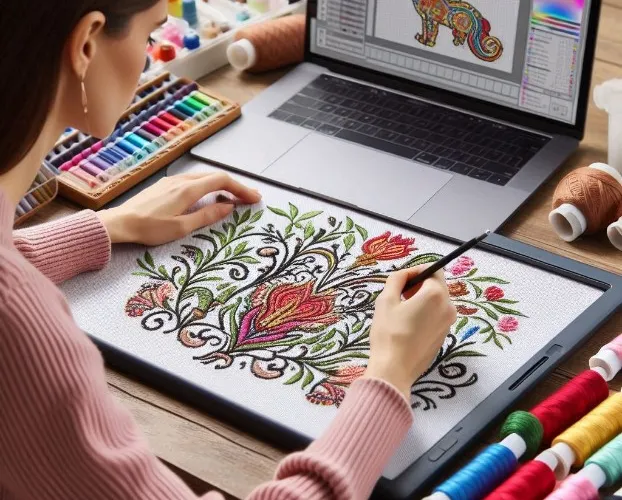
So, you’ve got a fantastic logo and a powerful Husqvarna embroidery machine. You’re ready to stitch that design onto hats, polos, and bags to promote your business or club. You pull up your logo file—maybe a JPEG or PNG—on your computer, plug in your USB, and… your machine doesn’t recognize it. This is where many budding embroiderers hit their first wall. The simple truth is that embroidery machines don’t read pictures; they read specialized stitch instructions. To get your Husqvarna machine singing, you need to Convert Logo to VIP Embroidery File.
This conversion process, known as digitizing, is the essential step that transforms your static graphic into a dynamic blueprint of stitches. The VIP format is Husqvarna’s native language. Feeding your machine a proper VIP file is like giving a master chef a detailed recipe instead of just a photo of a finished dish. It unlocks precision, control, and the professional results your projects deserve. Skipping this step or using a generic file is a surefire way to end up with thread breaks, puckered fabric, and a logo that looks nothing like you envisioned.
First, let's clarify the terms. Your logo from a graphic designer is likely a raster image (like JPEG, PNG) or a vector file (like AI, EPS). These are visual formats. They define shapes and colors for the screen or print.
A VIP file is something entirely different. It is a proprietary embroidery format created specifically for Husqvarna Viking and Pfaff sewing and embroidery machines. This file doesn’t contain a picture; it contains a meticulous set of commands that tell your machine’s needle:
Exactly where to move.
What color thread to use and when to trim and change.
What type of stitch to make (satin, fill, running).
The sequence of every single stitch in the design.
When you convert logo to VIP embroidery file, you are essentially hiring a translator to rewrite your logo’s visual language into a perfect stitch-based dialect your Husqvarna understands natively. Using any other format, or a poorly digitized one, forces your machine to interpret on the fly, leading to errors and poor quality.
Choosing to invest in a professional conversion to the VIP format isn’t just a technical step; it’s a strategic decision that impacts everything from your daily workflow to your final product’s quality.
This is the most immediate benefit. Husqvarna machines are engineered to run VIP files seamlessly. When you load a true VIP file, you eliminate the guesswork and compatibility errors that come with trying to use converted or third-party files (like .DST or .PES). The machine reads the file perfectly the first time and every time, ensuring a smooth, uninterrupted stitching process. It’s the difference between a reliable tool and a finicky one.
One of the biggest advantages of using the native VIP format is the editing power it gives you right at your machine’s touchscreen. With a generic file, what you see is often what you get. With a VIP file, you can typically:
Resize the design with more confidence that stitch integrity will hold.
Change thread colors digitally to preview new colorways.
Rotate or reposition elements easily.
Access detailed design information like stitch count and estimated sew time.
This level of in-machine control allows for last-minute adjustments and customization without needing to go back to the digitizing software on your computer.
A logo converted to a VIP file by a professional digitizer is optimized for the specific mechanics of Husqvarna machines. The digitizer can fine-tune settings like stitch density, pull compensation, and underlay to leverage your machine’s capabilities fully. This results in cleaner outlines, smoother fills, and more accurate registration (where colors and layers line up perfectly). The final embroidered logo looks crisp, professional, and exactly as intended.
Time is money, especially in custom embroidery. A reliable VIP file reduces or eliminates:
Machine errors and stoppages: No more dealing with unrecognized file errors.
Costly test runs: A well-digitized VIP file stitches correctly from the start, minimizing wasted stabilizer, fabric, and thread.
Frustrating troubleshooting: When the file is right, you can focus on hooping and production, not fixing digital problems.
This efficiency is crucial for small businesses, clubs, or anyone looking to produce quality work without constant technical hiccups.
You invested in a Husqvarna for its advanced features and durability. Feeding it low-quality, non-native files is like putting low-grade fuel in a high-performance engine. It might run, but not optimally, and it could cause long-term issues or frustration. Using properly formatted VIP files ensures you are using your machine as intended, protecting its functionality and getting the best possible return on your investment.
Understanding the “why” leads directly to the “how.” To get a VIP file that delivers on all these benefits, you have two main paths:
Option 1: Professional Digitizing Services (Recommended)
This is the most reliable method for business logos or critical projects. You send your graphic file to a specialist who will manually digitize and convert your logo into a premium VIP file. A professional digitizer will:
Analyze your logo’s details for stitchability.
Choose optimal stitch types and directions.
Program in necessary underlay and pull compensation.
Provide a test stitch proof for approval.
Deliver a clean, machine-ready VIP file.
While this has a cost, it saves you immense time, materials, and hassle, guaranteeing a professional outcome.
Option 2: Auto-Digitizing Software
Some software programs offer an auto-convert function. While tempting for simple shapes, this method often fails with complex logos. Auto-digitizing cannot make the nuanced decisions a human can, frequently resulting in excessive stitch count, poor underlay, and a design that looks clumsy when stitched. It’s a risky shortcut for anything beyond the most basic text or outline.
Your Husqvarna machine is a gateway to creating professional, personalized, and impactful embroidered items. However, its potential is locked until you give it the right key. That key is a properly digitized VIP file.
Converting your logo to a VIP embroidery file is not an extra step; it is the foundational step. It transforms your machine from a simple stitcher into a precise, reliable partner. It ensures compatibility, unlocks powerful features, and most importantly, guarantees that the embroidery coming off your machine makes your logo—and by extension, your brand—look its absolute best.
Whether you’re personalizing gifts for family or producing merch for customers, start with the right file. Invest in a professional conversion to the VIP format, load it with confidence, and watch your Husqvarna machine turn your brilliant logo into a flawlessly stitched reality.