Walk into any professional embroidery shop or browse the online communities of seasoned hobbyists, and you’ll hear a common piece of advice: you need to convert image to PES file to stitch your designs on a Brother machine. This statement, while directionally correct, holds a deeper secret. What newcomers often miss is that the smart embroiderer isn’t just using a simple converter; they understand that the magic—and the quality—lies in how that conversion happens. The real secret isn't the tool itself, but the strategic process of professional digitizing that the term "converter" often oversimplifies. Let's pull back the curtain on what truly separates a frustrating mess of thread from a flawless, professional embroidered piece.
The PES File: The Universal Language for Brother Machines
First, let's ground ourselves in the goal. A PES file is the native format for most Brother embroidery machines. It’s not a picture file. Think of it as a detailed set of GPS coordinates and instructions for the machine’s needle. It tells the machine exactly where to move, when to drop the needle, how long to make each stitch, when to trim the thread, and when to change colors. Your JPEG, PNG, or even AI file contains none of this critical instruction data. It’s just a visual map. Getting from that visual map to a stitch-by-stitch blueprint is the entire challenge.
The "Converter" Misconception and Its Costly Trap
Here is the pivotal misunderstanding that costs beginners time, money, and frustration. When someone says they need to "convert image to PES file," they often search for a free, instant, online file converter. They upload their logo, click a button, download a .PES file, and load it onto their machine, expecting perfection.
The result is almost always disappointment. These automated converters perform a basic, algorithmic trace of your image. They fill shapes with stitches, but without any of the necessary intelligence for real-world embroidery. The files they produce lack:
Underlay: The foundational stitches that stabilize the fabric and prevent puckering.
Pull Compensation: Adjustments for fabric tension, which without cause shapes to distort.
Optimal Stitch Sequencing: They create inefficient paths with excessive jumps and trims.
Fabric-Specific Density: They often use a one-size-fits-all stitch density that's too heavy for knits or too sparse for fleece.
The "cost" of using these quick converters is measured in ruined garments, snapped threads, wasted time, and a final product that looks amateurish.
The Smart Embroiderer's Actual Secret: Strategic Digitizing
So, what is the real secret? The smart embroiderer uses a digitizing-driven process to create their PES file. The word "convert" is a shorthand for a much more nuanced approach. They know that creating a quality PES file is an act of translation and engineering, not a simple format change.
Their strategy typically involves one of three intelligent paths, chosen based on the project's needs:
1. The "Outsource to a Specialist" Strategy
For a business logo, a complex design, or a one-off critical project, the smartest move is often to hire a professional embroidery digitizing service. This is the ultimate "secret weapon."
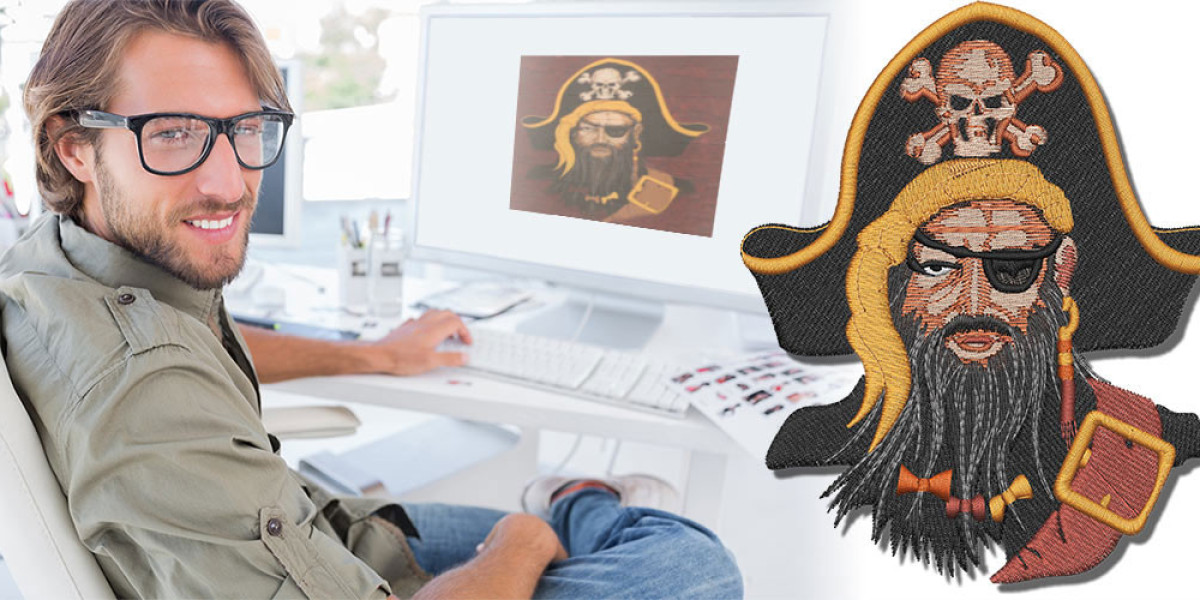
How it Works: You send your image to a human expert. They use industrial software (like Wilcom or Embrid) to manually craft the PES file, making hundreds of technical decisions to ensure it sews perfectly on your specific garment.
The Value: You pay for expertise and a guaranteed result. This strategy eliminates test-sew failures, saves on wasted materials, and delivers a file that makes your machine run smoothly and efficiently. It’s the choice for prioritizing quality and brand reputation.
2. The "Use Intelligent Software" Strategy
For embroiderers who regularly handle simpler designs or want more hands-on control, investing in capable software is the secret. This isn't about online converters; it's about programs like SewArt, Embrid Auto-Digitizer, or the auto-features in Brother's PE-Design.
How it Works: These programs offer a middle ground. They provide auto-tracing tools but pair them with manual editing controls. You can auto-convert the basic shape, then manually add underlay, adjust density, clean up stitch paths, and set the correct pull compensation.
The Value: This strategy empowers you with more control and learning potential than a pure outsourced model, while yielding far better results than a free converter. It turns a rough auto-conversion into a polished, sew-ready file.
3. The "Master the Craft" Strategy
The most dedicated smart embroiderers—those running a business or deeply passionate about the craft—invest in learning professional digitizing software like Wilcom Hatch.
How it Works: This is manual digitizing from the ground up. You start with your image and manually plot every stitch region, set every parameter, and build the sequence yourself. The software is the "converter" only in the sense that it outputs the final PES file.
The Value: Ultimate control, creativity, and long-term cost savings for high-volume creators. The learning curve is steep, but the ability to troubleshoot and perfect any design is unparalleled.
The Critical Step Every Smart Embroiderer Shares: The Test Sew
No matter which strategic path they choose, every smart embroiderer follows one non-negotiable rule: They always do a test sew. They take their new PES file, hoop a scrap of the actual project fabric with the correct stabilizer, and stitch it out. This physical test reveals what the screen preview cannot—fabric pull, tension issues, density problems. It's the final, essential quality checkpoint before committing to the final garment.
Why This "Secret" Process Saves Money and Time
This strategic approach seems more involved than a one-click converter, so how is it the "smart" choice? Because it operates on the principle of "Right the First Time."
Saves Material Costs: One ruined premium garment costs more than a professional digitizing fee.
Saves Time: Hours spent re-threading, adjusting tension, and re-sewing failed designs are hours not spent on profitable production.
Protects Your Equipment: Poorly digitized files with excessive density and jumps cause unnecessary wear and tear on your machine.
Upholds Your Reputation: Whether for a client or for your own brand, professional results build trust. Amateur results destroy it.
How to Start Using the "Secret" Today
You don't need to become an expert overnight. Start implementing the smart embroiderer's mindset with your very next project:
Audit Your Artwork: Is it a simple, bold graphic or a detailed logo? Be honest about its complexity.
Choose Your Strategy: For a detailed logo, get a quote from a digitizing service. For a simple shape, try a free trial of a program like SewArt.
Provide Context: If outsourcing, tell the digitizer what you are sewing it on. This is crucial information.
Budget for a Test: Always have spare fabric and time to run a test sew. Consider it part of the material cost.
Conclusion: The Tool is Secondary to the Technique
The smart embroiderer's secret is finally out. It was never about finding a mythical, perfect "PES file converter." The secret is the disciplined understanding that to convert image to PES file successfully is to engage in the craft of digitizing. It's the commitment to moving beyond automated, low-quality shortcuts and investing in the process—whether through a professional's skill, capable software, or your own educated hands—that creates the thread between a good idea and a great embroidered piece.
Embrace this secret. Shift your search from "free converter" to "quality digitizing strategy." When you do, you'll stop fighting your machine and start unlocking its true potential, one perfectly engineered stitch at a time.